
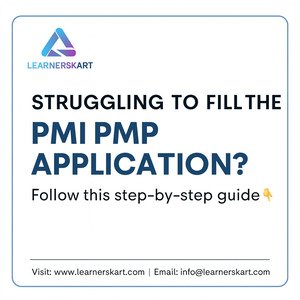
How to Fill the PMI PMP Application: A Step-by-Step Guide (With Examples)
-
December 8, 2025
Applying for the PMI Project Management Professional (PMP) certification is one of the most important steps in advancing your project management career. However, many applicants feel confused or stressed when completing the PMP application—especially while writing project descriptions, calculating experience months, and ensuring eligibility.
This comprehensive guide explains exactly how to fill the PMP application step-by-step, with clear instructions, examples, and tips to avoid rejection or audit delays.
1. Understand the PMP Eligibility Requirements
Before starting your application, make sure you meet the minimum requirements set by PMI.
Eligibility Criteria
| Requirement | Option 1 | Option 2 |
|---|---|---|
| Education | Bachelor’s degree (4 years) | High school diploma / 3-year diploma |
| Experience | 36 months leading and directing projects | 60 months leading and directing projects |
| Training | 35 Contact Hours | 35 Contact Hours |
✔ Experience must be non-overlapping
✔ You must have contributed to or led project tasks
✔ Experience must be within the last 8 years
2. Create or Log In to Your PMI Account
Go to www.pmi.org, click Register, and complete your profile.
Then navigate to:
Certifications → PMP → Apply Now
This will take you to the PMP application dashboard.
3. Enter Your Personal, Academic amp; Professional Details
PMI requires:
-
Personal information
-
Education details
-
Professional background
-
Training information
This step is straightforward—fill in the details accurately as they appear in your certificates.
4. Add Your 35 Contact Hours (PMP Training)
You must provide:
-
Course Title: PMP Training – 35 Contact Hours
-
Training Provider: Learnerskart
-
Completion Date
-
Contact Hours: 35
Make sure the training provider’s name matches your certificate exactly.
5. Fill Your Project Management Experience
This is the most critical part of your PMP application.
PMI expects you to list:
-
Project Title
-
Organization
-
Your Role (PM, Lead, Coordinator, etc.)
-
Project Dates (Start–End)
-
Team Size
-
Methodology (Predictive / Agile / Hybrid)
-
Project Description (200–500 words aligned with PMI’s 3 domains)
6. How to Write the Project Description (PMI-Approved Format)
Your description should follow PMI’s People – Process – Business Environment structure.
Recommended Structure
-
Project Overview – What the project aimed to achieve
-
Your Role – What you led or managed
-
People Tasks – Stakeholder communication, conflict resolution, team collaboration
-
Process Tasks – Planning, scheduling, risk management, change control
-
Business Environment – Compliance, governance, approvals, benefits
-
Outcome – A measurable result
7. PMP Project Description Example
Project Overview:
Implemented an end-to-end CRM system to improve pipeline tracking and automate lead management.
My Role:
Managed the project lifecycle, facilitated stakeholder meetings, created project plans, and monitored progress.
People:
Led cross-functional teams, resolved conflicts, and managed communication between sales, IT, and vendor teams.
Process:
Developed project charter, defined scope, created WBS, managed risks, tracked deliverables, and processed change requests.
Business Environment:
Ensured compliance with organizational policies, secured approvals, and aligned the project with strategic business goals.
Outcome:
Delivered the CRM platform within schedule, resulting in a 40% improvement in lead visibility.
8. Avoid These Common PMP Application Mistakes
-
❌ Writing job responsibilities instead of project tasks
-
❌ Overlapping project dates
-
❌ Including technical duties not related to project management
-
❌ Writing vague descriptions without measurable outcomes
-
❌ Not aligning tasks with PMI PMP domains
9. Submit Your Application
After completing all sections:
-
Review the information
-
Ensure dates and descriptions are accurate
-
Submit the application
PMI typically reviews applications within 5 business days.
10. PMP Application Audit (If Selected)
PMI April select your application for an audit.
If so, you must submit:
-
Training certificate copy
-
Education certificate copy
-
Experience verification form signed by your manager/client
Once verified, your audit will be cleared.
11. Pay for the PMP Exam
After approval, pay the exam fee:
-
PMI Member: $405
-
Non-Member: $575
Membership is recommended because it reduces fees and gives free PMBOK access.
12. Schedule Your PMP Exam
You can take the exam:
-
At a Pearson VUE Test Center, or
-
As an Online Proctored Exam from home
Choose the date and time that fits your schedule.
Conclusion
Filling the PMP application is easier when you understand what PMI expects.
Use the templates and guidance in this article to prepare a strong, audit-proof, and accurate application.
If you need help preparing your application, writing project summaries, or earning 35 contact hours, Learnerskart is here to help.
🌐 Visit: learnerskart.com | #x1f4e7; Email: info@learnerskart.com
✔️ Follow us for more project management tips amp; career insights! https://lnkd.in/gYB4Dw4K
Tags:
You May Also Like
-
Apr 3, 2026
Introduction Every year, thousands of professionals begin their journey toward the PMP® certification with high hopes. However, many fail to...
-
Apr 2, 2026
Introduction Why do some projects succeed with detailed planning, while others fail despite having everything mapped out? The answer often...
-
Apr 1, 2026
The PMP Exam Is Changing in Less Than 100 Days – Here’s What You Actually Need to Know If you’ve...

-
Mar 31, 2026
Introduction The role of a Senior Project Manager is evolving faster than ever. With increasing complexity, tighter deadlines, and higher...
Sign up to receive our latest updates
Company
Support
Service Offerings
Special Offers
Get in touch
India
Call us directly?
+91-984-459-1589
Address
Learnerskart Solutions Pvt Ltd
4th floor, No: 207/189, 9th Main Rd, 6th Sector,
HSR Layout, Bengaluru, Karnataka 560102
info@learnerskart.com
USA
Call us directly?
+1 (307)-998-3816
Address
Learnerskart Americas LLC
30 N Gould St Ste R
Sheridan, WY 82801
info@learnerskart.com
Quick Contact
Trending Categories
Disclaimer
“PMI®”, “PMBOK®”, “PMP®”, “CAPM®” and “PMI-ACP®” are registered marks of the Project Management Institute, Inc.
ITIL® and PRINCE2® are registered trade marks of AXELOS Limited, used under permission of AXELOS Limited. All rights reserved.
“CSM”, “CST” are Registered Trade Marks of The Scrum Alliance, USA.
